

HavnSight Intelligence overview
What AI does in Keystone, in Desk and in the assistant, and what each feature works from.
Applies to: Keystone, Desk and the assistant
HavnSight Intelligence is built into the products your team already uses. It works from your organization's own pages, articles and tickets, only those the person asking may open, and every answer shows its sources. To learn how your data is protected, see How HavnSight Intelligence protects your data.
Ask in Keystone
In Keystone, Search answers a question from the published pages you can read.
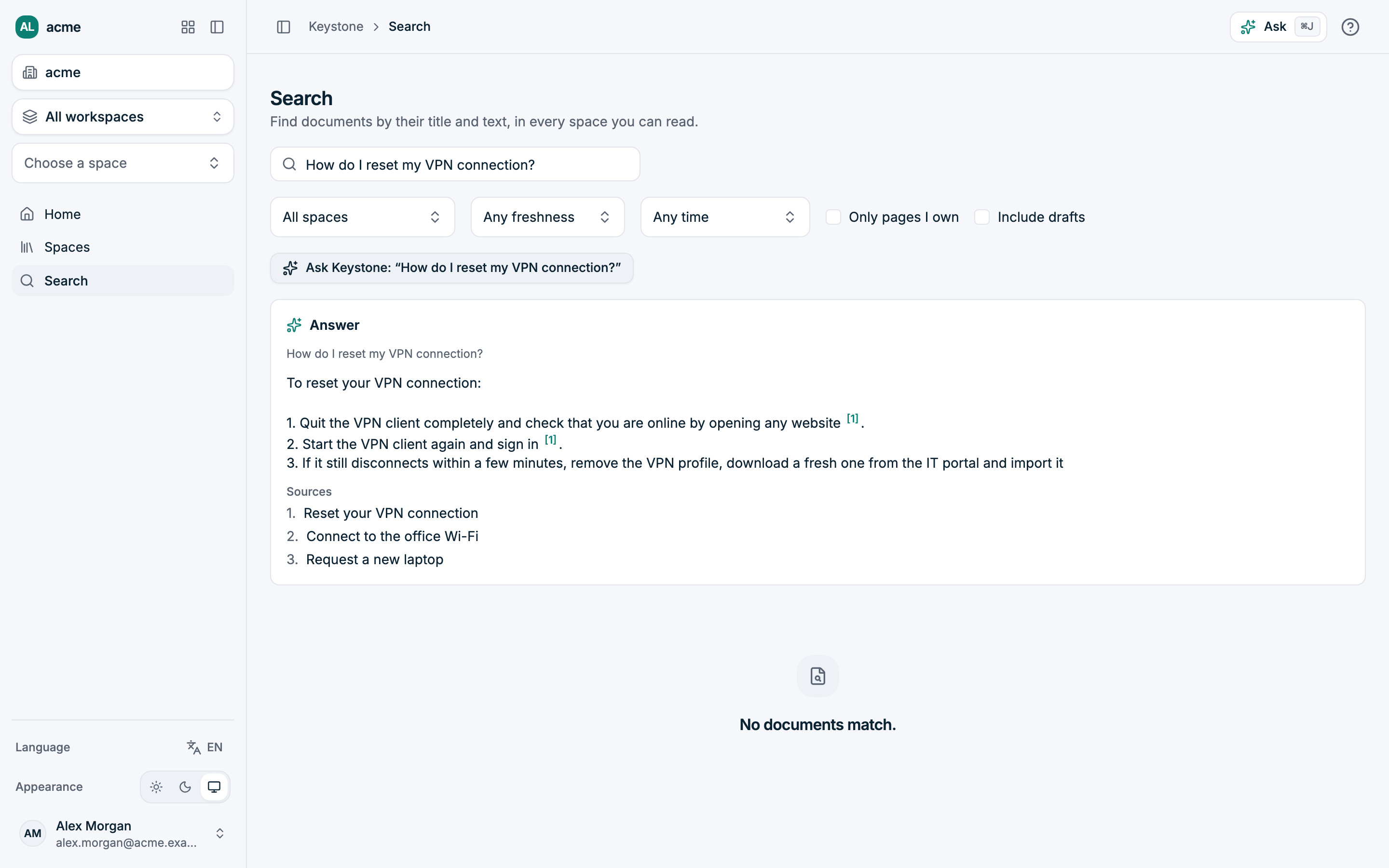
- The answer uses only passages from your pages, and cites each one by number. The sources are listed under the answer.
- When your pages don't answer the question, Keystone says so instead of guessing.
- To ask within one space, select the space in the filters first.
AI in Desk
In a ticket
The AI assistant card on a ticket helps the agent working on it.
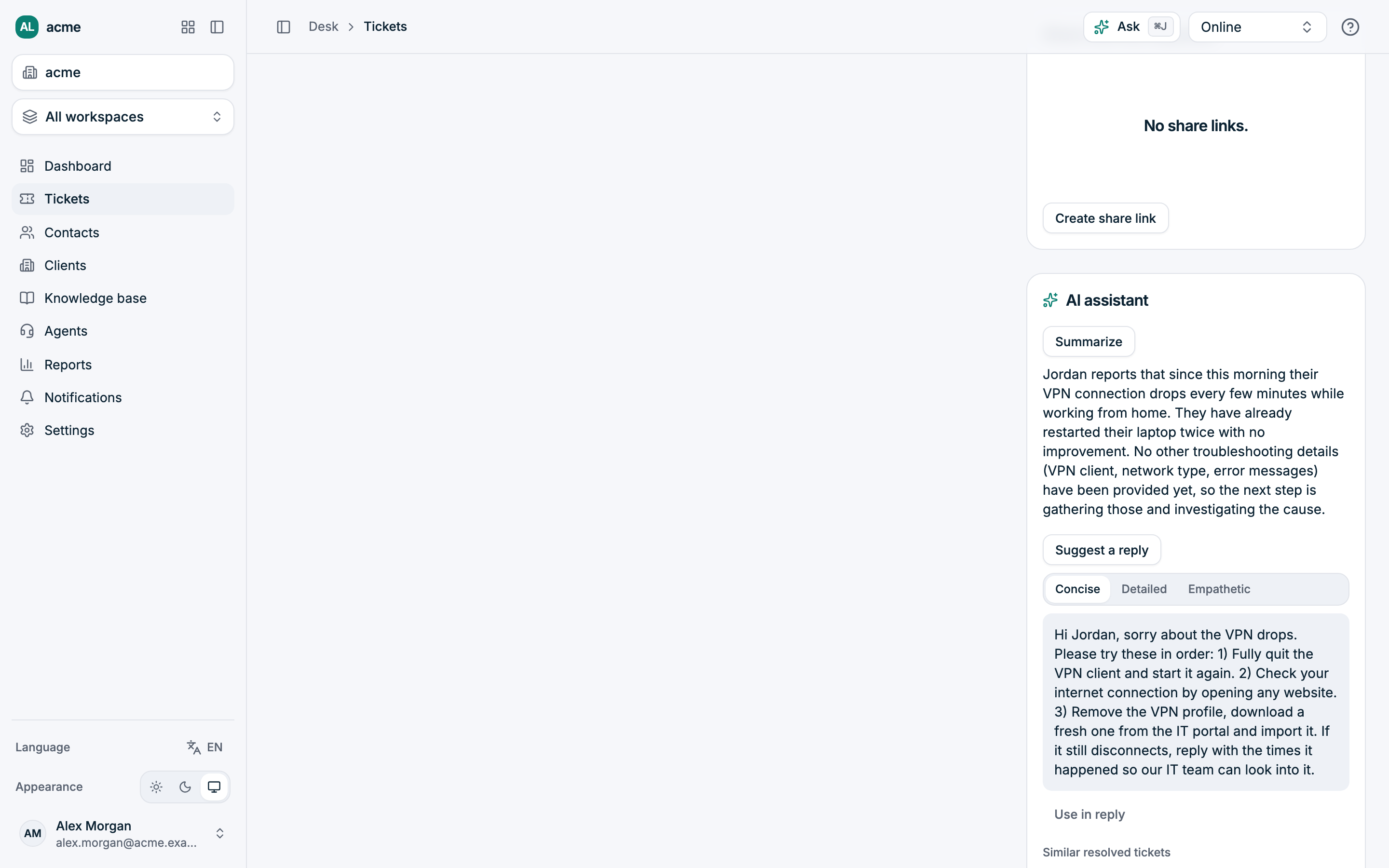
| Feature | What it does |
|---|---|
| Summarize | Writes two or three sentences for whoever picks up the ticket |
| Suggest a reply | Drafts a reply in three tones (concise, detailed, empathetic), based on your knowledge-base articles where they're relevant |
| Rewrite | Makes your draft shorter, longer, more formal or friendlier, or fixes spelling and grammar |
| Similar resolved tickets | Lists earlier tickets like this one, so you can see how they were solved |
Nothing is sent to the customer until the agent sends it.
Article suggestions
Knowledge base > Article suggestions lists groups of similar tickets that no article answers yet. Draft article writes a draft from a group. The draft is saved among your articles for someone to review and publish.
Answers to customers on the chat widget
Desk can let AI answer customers on your chat widget. This is off until an admin turns it on. When it's on:
- AI answers only from your public knowledge-base articles, never from internal articles or internal notes.
- An answer must cite the passages it was given, or it isn't sent.
- When your articles don't answer the question, AI doesn't guess. It may ask the customer a clarifying question, a few times at most, and then hands the conversation to a person.
- Complaints, legal, safety, medical and self-harm topics always go to a person.
- When AI isn't confident in its answer, a person takes over.
To turn it on, see Control what AI does on its own.
The assistant
The assistant is available in your HavnSight account, in Desk and in Keystone. Select Ask at the top of the page, or press ⌘J (Ctrl+J on Windows and Linux).
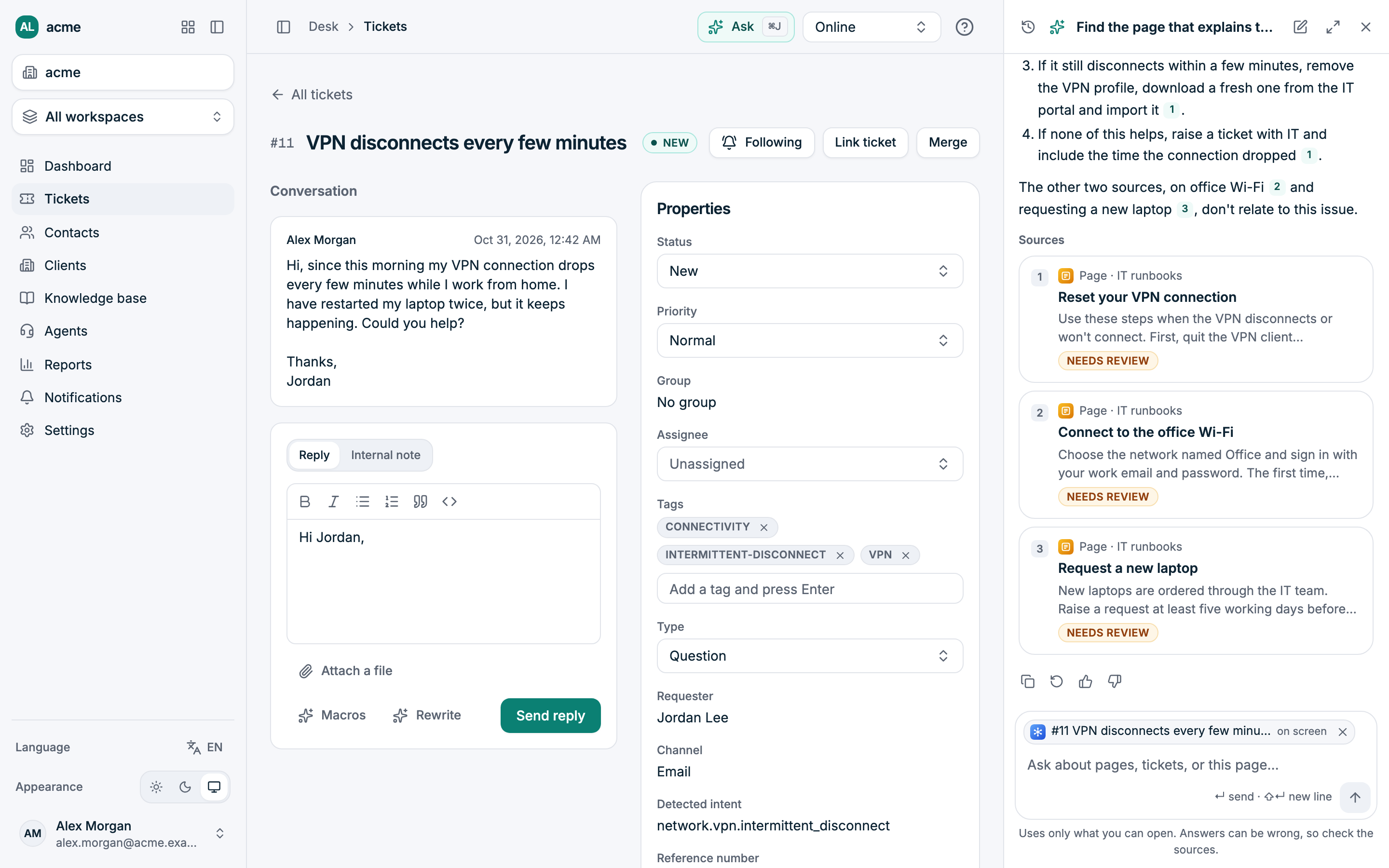
- It searches and reads the Keystone pages and Desk tickets you can open, and shows each step it takes.
- Every answer lists its sources by number. When a source holds an internal note, the assistant tells you not to paste it to a customer as it is.
- It knows the page or ticket on your screen and suggests questions about it.
- It reads only. It doesn't change your pages or tickets.
The assistant uses a product only when your organization uses it and you have access to it.
Related content
Was this page helpful?
Send feedback