

What you administer
The Admin center at a glance, what each section is for, and how to open it.
The Admin center is where you manage your organization as a whole: its people, where work lives, who may do what, how people sign in, and the organization itself. This article describes each area and where to find it.
Open the Admin center
- Sign in to your HavnSight account.
- In the menu on the left, under Administration, select Admin center.
The Admin center opens on Users. Its menu shows only the sections your role allows you to open. If your role has nothing to administer, the Admin center isn't shown.
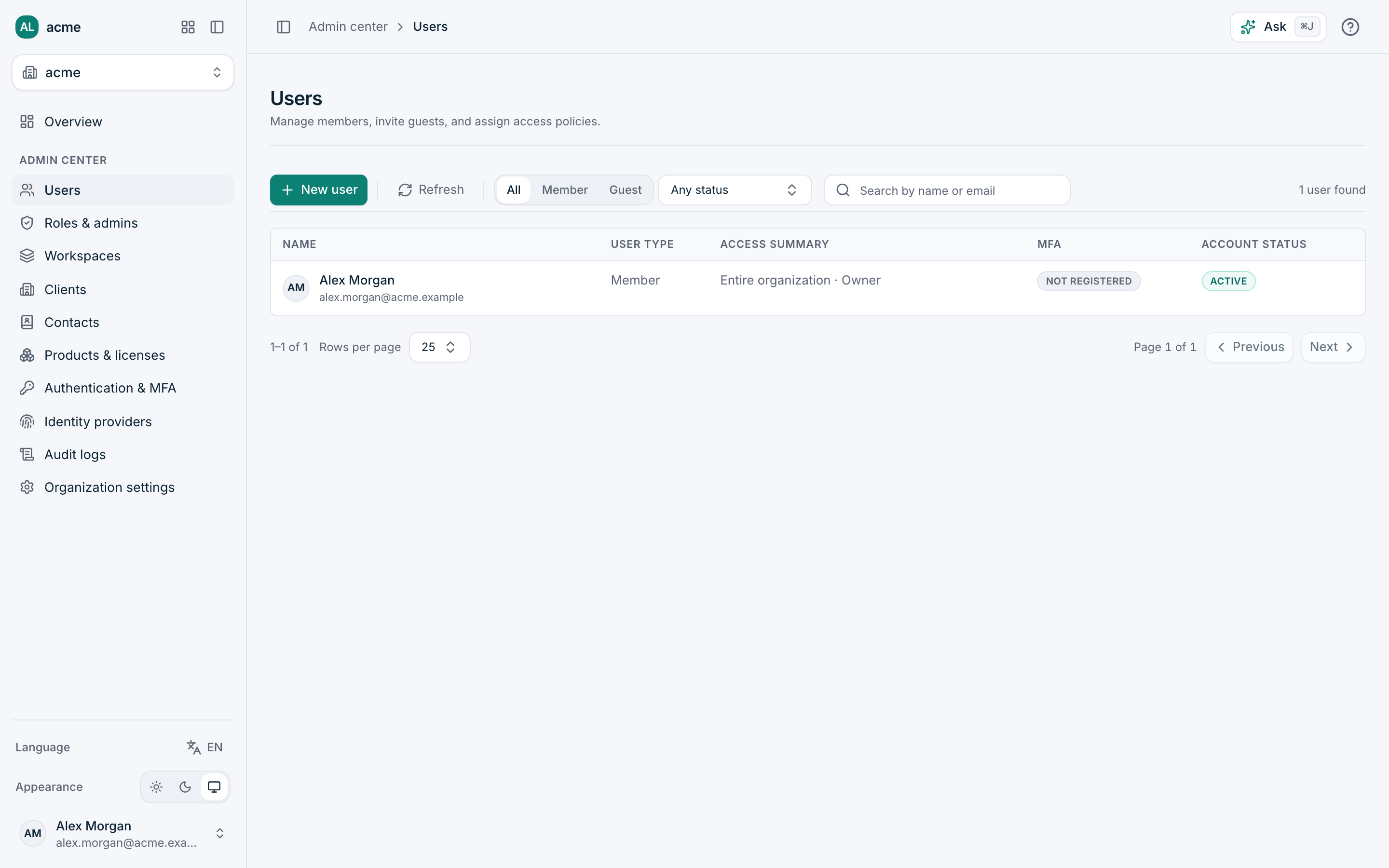
Sections of the Admin center
| Area | Section | What you do there |
|---|---|---|
| People | Users | Create members, invite guests, reset two-step verification, unlock accounts |
| People | Contacts | Keep the people your organization serves, such as customers who raise requests |
| Where work lives | Workspaces | Create your own divisions and choose the products each one is enabled in |
| Where work lives | Clients | Keep the external organizations you serve, their tags and portal level |
| Who may do what | Roles & admins | Review the built-in roles and create your own |
| Who may do what | Users > a person > Access policies | Give a person a role in the organization, in workspaces or at clients |
| Who may do what | Users > a person > Effective access | See everything a person can do and why, and check one action |
| How people sign in | Authentication & MFA | Require two-step verification, set password rules and account lockout |
| How people sign in | Identity providers | Let your people sign in with your own identity provider |
| Your organization | Products & licenses | See the products you use and start a free trial |
| Your organization | Billing | Buy a plan, change it or cancel it, and find invoices |
| Your organization | Organization settings | Change the name, logos, accent colours and the links on your sign-in pages |
Who can open each section
Each section opens for the roles that hold its permissions. The Owner role opens every section, and Admin every section except Billing. Other built-in roles open only the sections their permissions cover; for example, Billing Manager opens only Products & licenses and Billing. See Built-in roles and permission groups.
Related content
Was this page helpful?
Send feedback