

Run a workflow and see its runs
Run a workflow by hand, follow the run, and find it later in the project's runs.
Run a workflow by hand
- Open the workflow in the editor.
- Select Run. Flow runs the saved workflow, not unsaved changes, and opens the run.
- The run's page follows it until it ends and shows its status, such as Succeeded.
See a project's runs
-
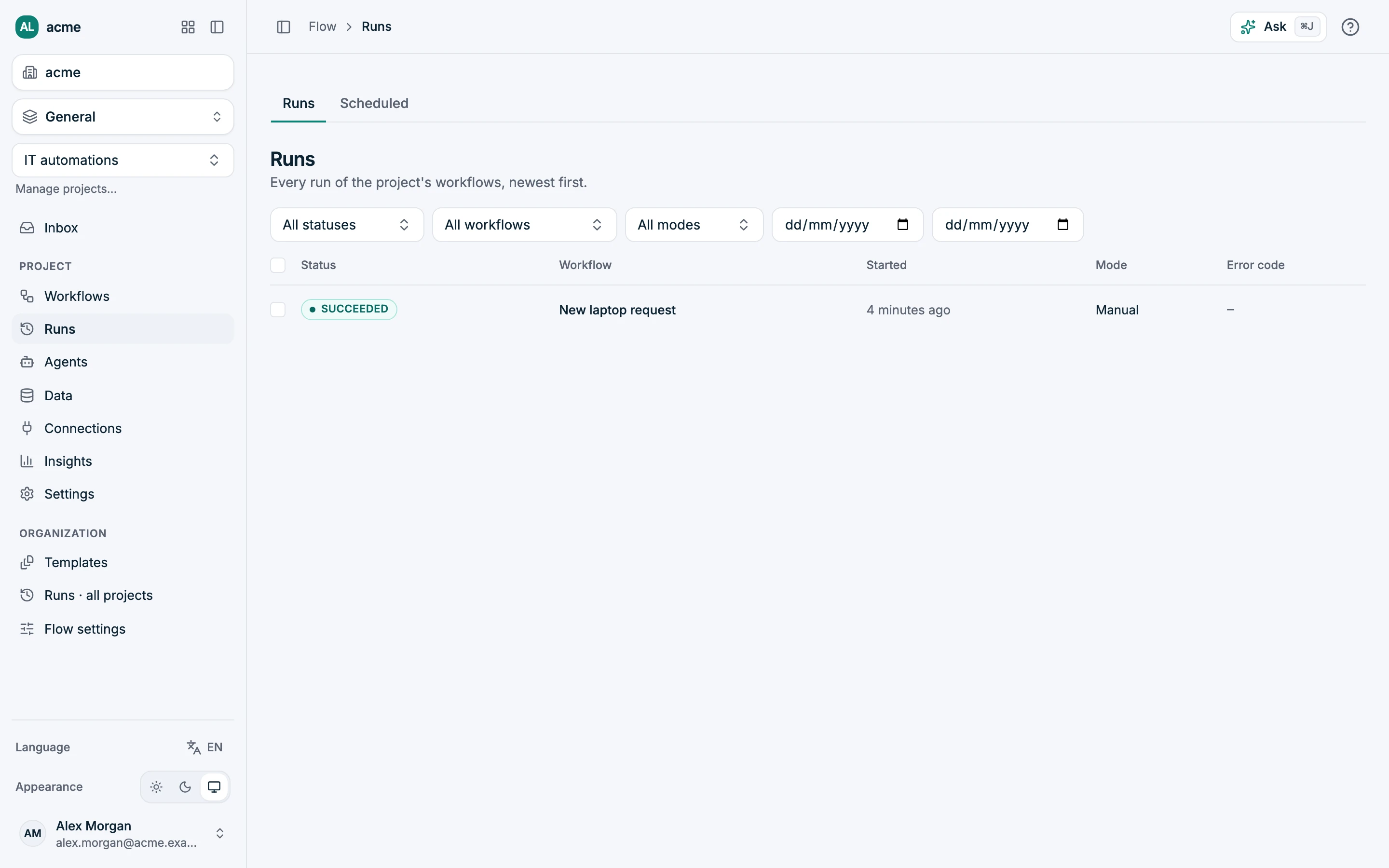
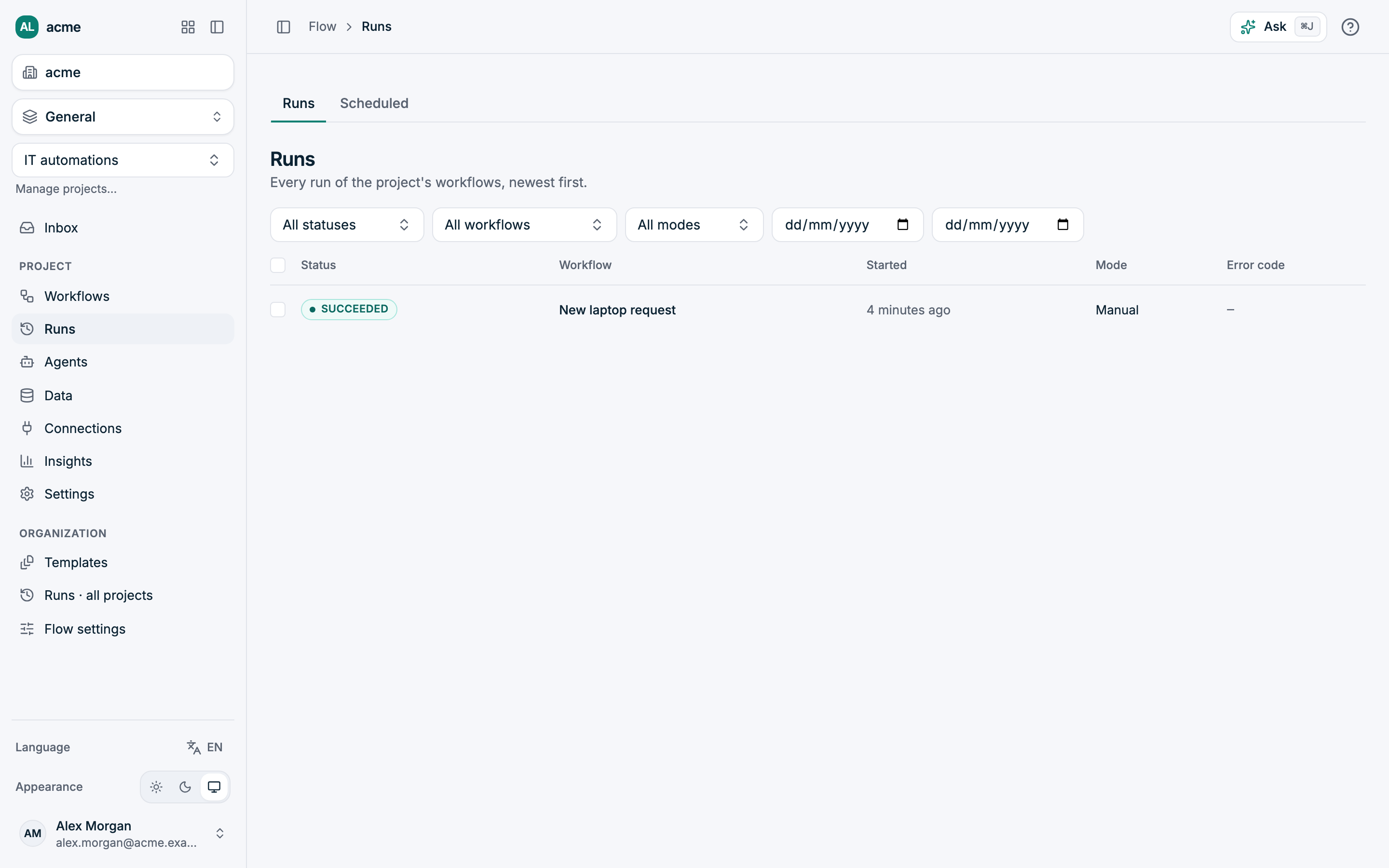
In the project, select Runs.
-
Filter by status, workflow, mode or date, or select a run to open it.
Related content
Was this page helpful?
Send feedback