

AdministrationStart a product trial
Start a product trial
See which products your organization uses, and start a free trial of another.
Start a free trial
-
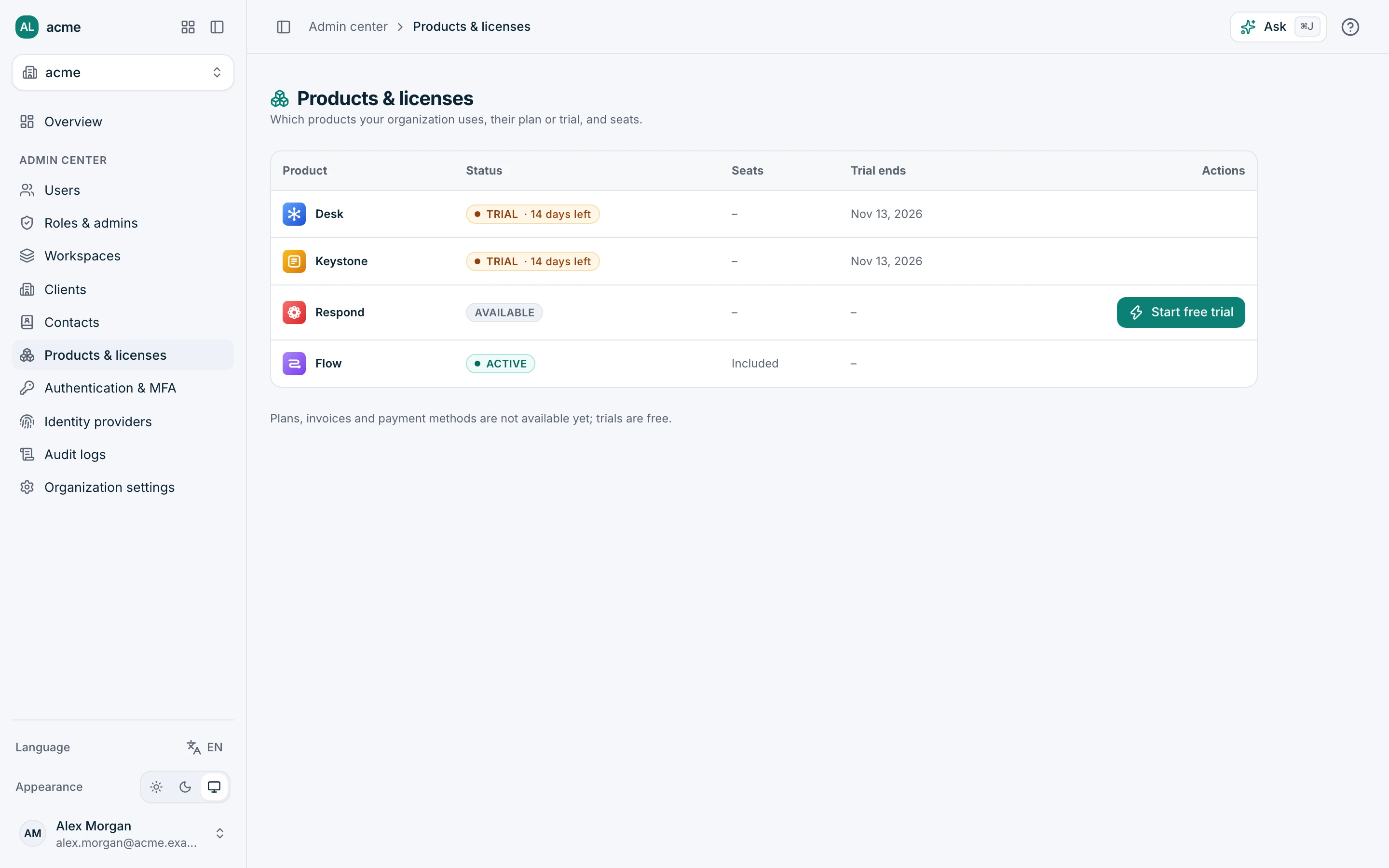
Select Admin center > Products & licenses.
-
Next to the product, select Start free trial.
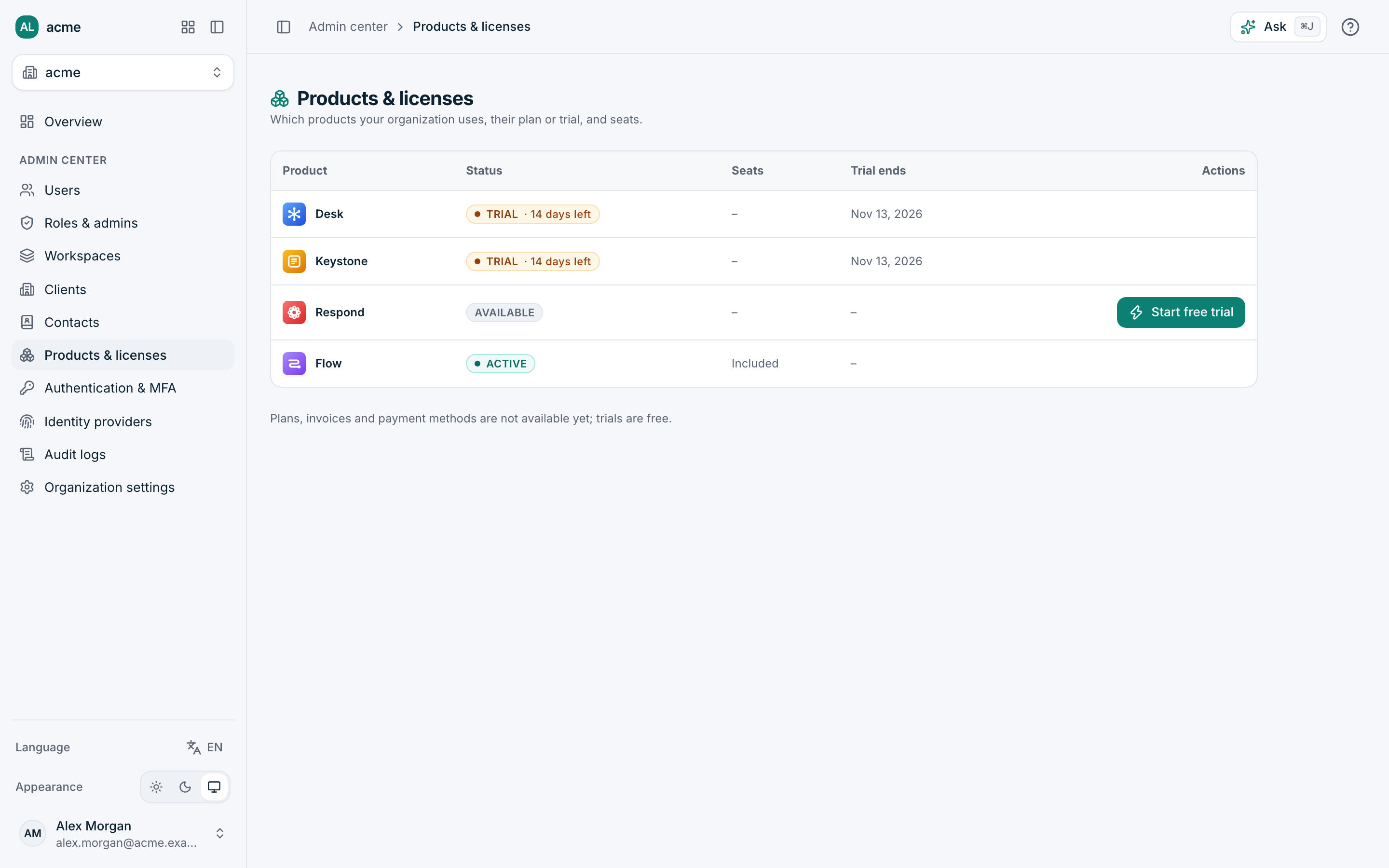
The trial starts at once. Your default workspace is enabled in the product, and Trial ends shows when the trial ends.
A trial lasts 14 days, once per product. To keep using the product, select Choose a plan next to it; see Buy a plan.
Related content
Was this page helpful?
Send feedback