

Create, answer and close a ticket
Record a request for a customer, reply to them, and close the ticket when the work is done.
Create a ticket
Record a ticket when a customer asks for help another way, such as a phone call.
- In Desk, select Tickets > New ticket.
- Enter a Subject.
- Under the requester, search for the contact by name or email, and select them.
- Enter a Description of the request.
- Select Create ticket. Desk opens the new ticket.
Reply to the customer
-
Open the ticket.
-
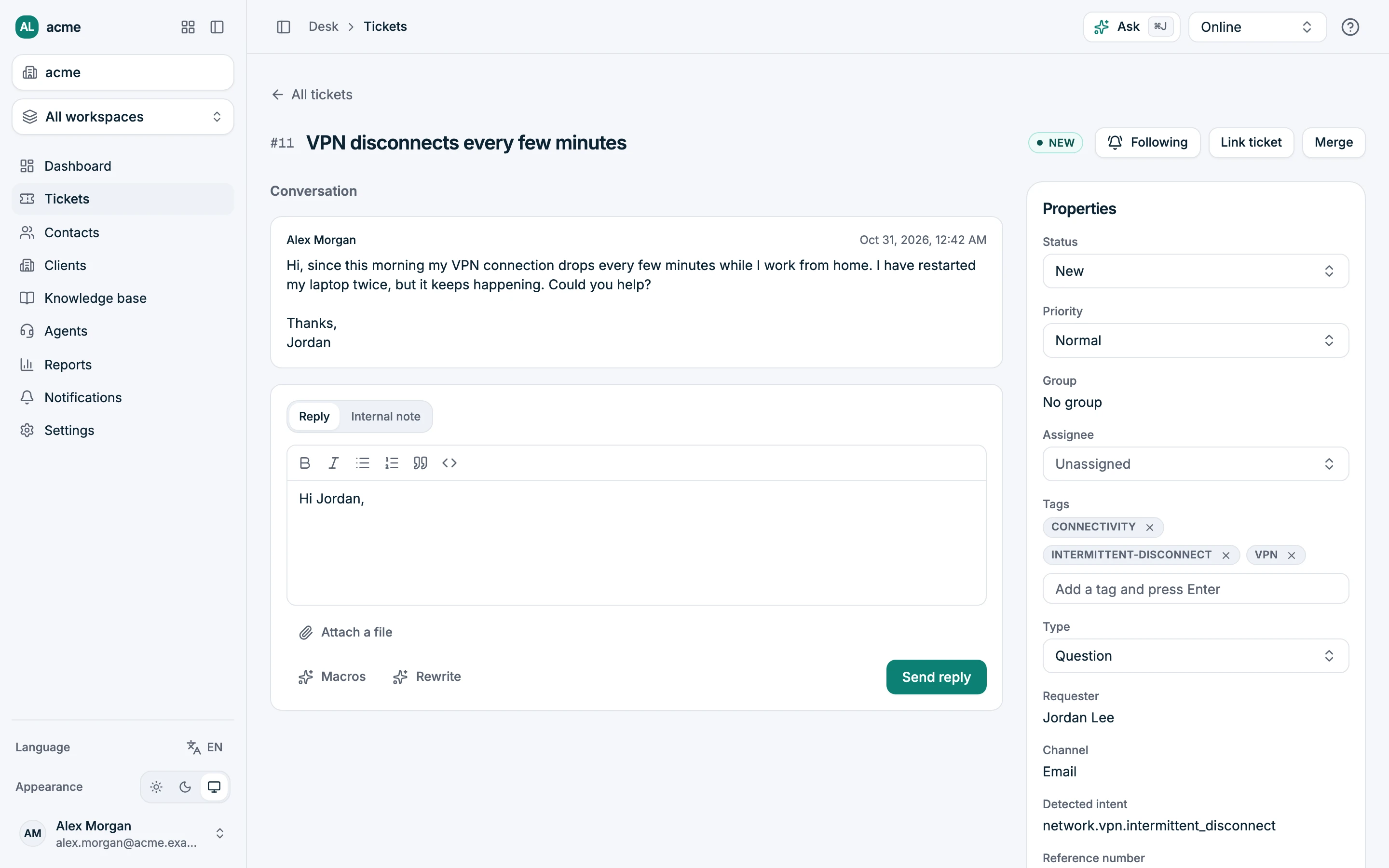
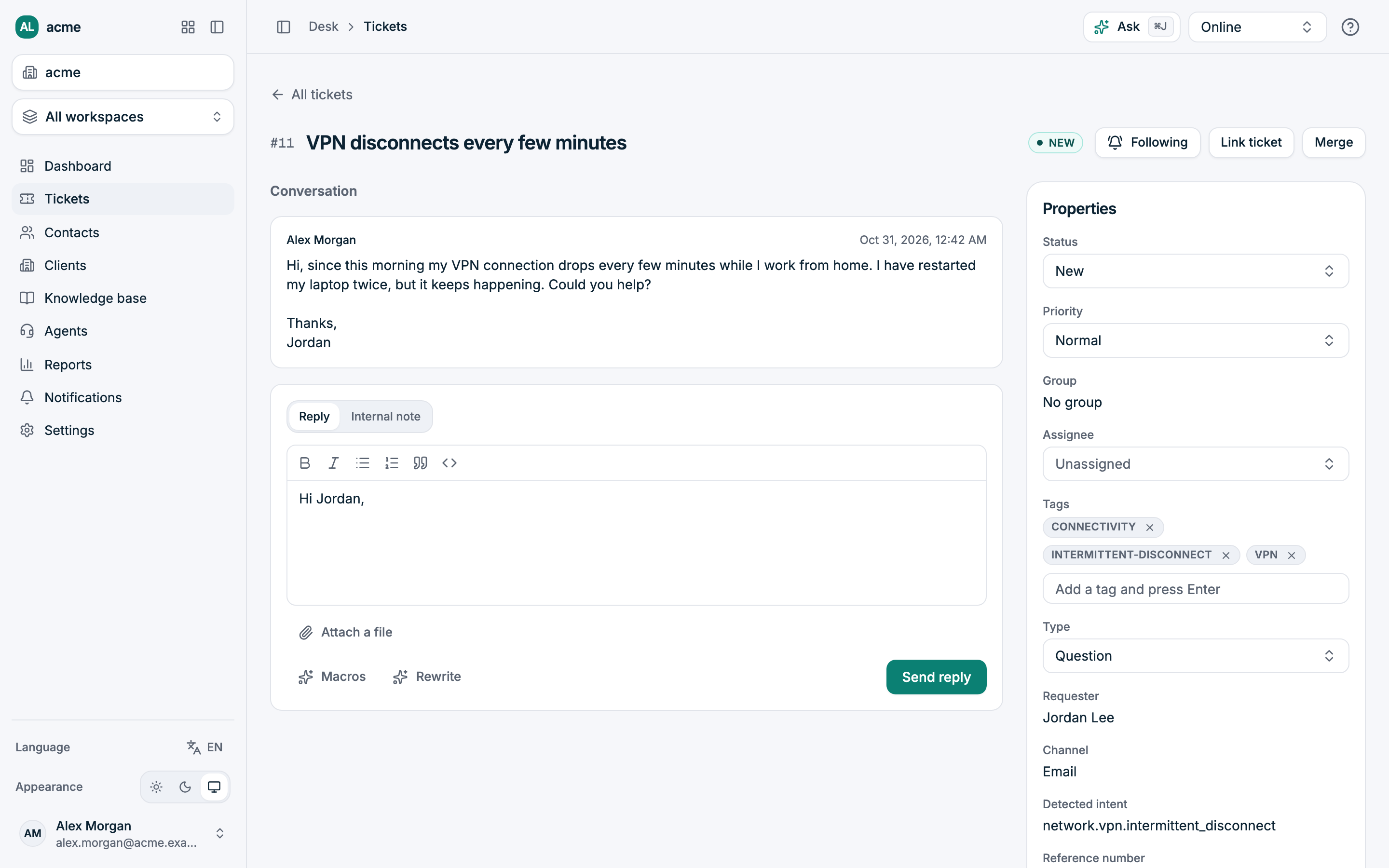
On Reply, write your answer in the reply box. To leave a note only your team sees, select Internal note instead.
-
Select Send reply. Your reply appears in the conversation.
Tip
In the AI assistant card on the ticket, Suggest a reply drafts an answer from your knowledge base. See Work faster with HavnSight Intelligence.
Close the ticket
A ticket is closed after it's resolved.
- Select Tickets, then open the actions of the ticket's row.
- Select Mark as Resolved.
- Open the row's actions again and select Mark as Closed.
Related content
Was this page helpful?
Send feedback